


Google Local Service Ads and traditional Google Ads campaigns now live in the same interface, but that doesn’t mean they behave the same way. Bidding works differently, budgets follow different logic in places, and reporting only overlaps partially between the two.
How the Two Campaign Types Compare at a Glance
Local Services campaigns are a distinct Performance Max type built for pay-per-lead goals, not a standard Performance Max campaign. Both campaign types now use daily budgets, but Local Services still bills only for valid leads, never clicks. Local Services campaigns remain keywordless even though they sit in the same dashboard as keyword-based Search campaigns, and reporting is only partially unified since historical LSA data doesn’t carry over. Bidding strategy options are also narrower for Local Services than for standard campaigns.
Same Dashboard, Different Rules
Sharing a dashboard doesn’t mean sharing a rulebook. Local Services campaigns keep their original placements (Search and Maps only) and their original billing model (pay-per-lead, not pay-per-click), even though they now sit next to Search, Shopping, and standard Performance Max campaigns in your account.
Think of it less as LSA becoming “a Google Ads campaign” and more as Google giving LSA a new home inside a platform it already partially depended on for billing and user access. For the full context on why this move is happening, read LSA Is Moving Into Google Ads. Here’s What That Actually Means.
Bidding: How Local Services Campaigns Differ from Standard Performance Max
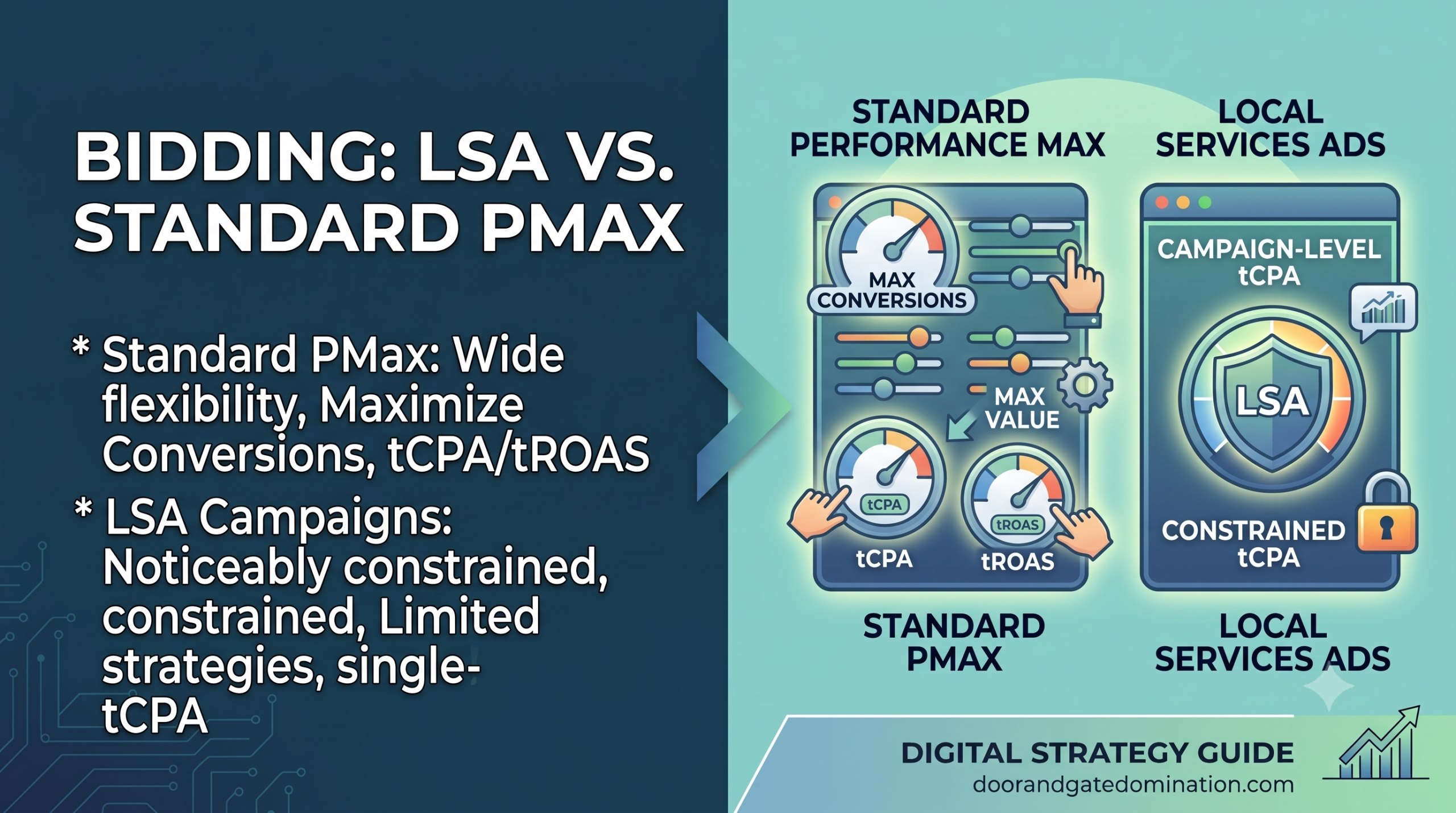
Standard Performance Max campaigns support a range of bidding strategies, including Maximize Conversions, Maximize Conversion Value, and various Target CPA or Target ROAS configurations, often with manual adjustments layered on top.
Local Services campaigns are far more limited. Manual bidding is being removed entirely, and Target CPA is set once at the campaign level rather than adjusted per audience, product, or in this case, service category. If you’re used to the flexibility of standard Performance Max bidding, Local Services campaigns will feel noticeably more constrained.
Budgeting: Daily Budgets Now Apply to Both
This is one of the areas where the two campaign types now genuinely align. Local Services campaigns move from an average weekly budget to an average daily budget, the same model traditional Google Ads campaigns have used for years.
That consistency makes budget planning easier if you’re managing both campaign types side by side, since you’re working with the same unit of measurement across your account. If you’re a business owner rather than an agency trying to understand what these shifts mean day to day, read What Local Service Businesses Need to Know Before Google Ads Absorbs LSA.
Reporting: What’s Shared and What Stays Separate
Once migrated, Local Services campaigns show up in your standard Google Ads reporting views alongside other campaigns, which is a genuine improvement for advertisers managing multiple campaign types. Leads appear under Goals > Conversions > Leads, using the same conversions framework Google Ads applies elsewhere.
What doesn’t carry over is history. Your historical LSA performance reports do not transfer into Google Ads, so any comparison between old LSA data and new Google Ads reporting has to be done manually, using data you exported beforehand.
For the full mechanics straight from the source, Google’s Local Services Ads Google Ads migration guide confirms exactly what carries over and what doesn’t, and Search Engine Journal’s coverage of Google bringing Local Services Ads into Google Ads breaks down how this affects reporting for advertisers managing multiple campaign types.
Full Feature Comparison
|
Feature |
Local Services Campaigns |
Traditional Google Ads Campaigns |
|
Placement |
Search and Maps only |
Varies by campaign type (Search, Display, YouTube, Shopping, etc.) |
|
Billing model |
Pay-per-lead |
Pay-per-click or other conversion-based models |
|
Keywords |
None, keywordless by design |
Often keyword-based, depending on campaign type |
|
Budget cadence |
Daily average |
Daily average |
|
Manual bidding |
Not supported |
Supported for many campaign types |
|
Target CPA |
One unified campaign-level target |
Can vary by ad group or audience, depending on campaign type |
|
Reporting location |
Google Ads (Goals > Conversions > Leads) |
Google Ads standard reporting |
|
Historical data |
Does not transfer from old LSA dashboard |
N/A, always lived in Google Ads |
Keywords: Why Local Services Campaigns Still Don’t Use Them
Despite sharing a dashboard with keyword-driven Search campaigns, Local Services campaigns remain keywordless. Instead, they rely on your Google Business Profile, service categories, and location data to determine when and where your ad shows.
This distinction matters if you’re planning to run Search and Local Services campaigns for the same business. There’s no keyword overlap to manage or worry about cannibalizing, since the two systems target intent completely differently even while sitting in the same account.
Should You Manage Both Campaign Types Together?
For most local service businesses, yes, if only because it’s now unavoidable. Since Local Services campaigns live in the same dashboard, your Search, Display, and Local Services efforts naturally show up together in reporting and account navigation.
That said, “sharing a dashboard” doesn’t mean “sharing a strategy.” Treat Local Services campaigns as their own category with their own bidding limitations and budget logic, rather than assuming settings or best practices from your Search campaigns will translate directly. If you’re specifically trying to get comfortable with the new day-to-day workflow inside Google Ads, read How to Set Up and Manage Local Services Ads Inside the Google Ads Platform.
Common Misconceptions About the Shared Dashboard
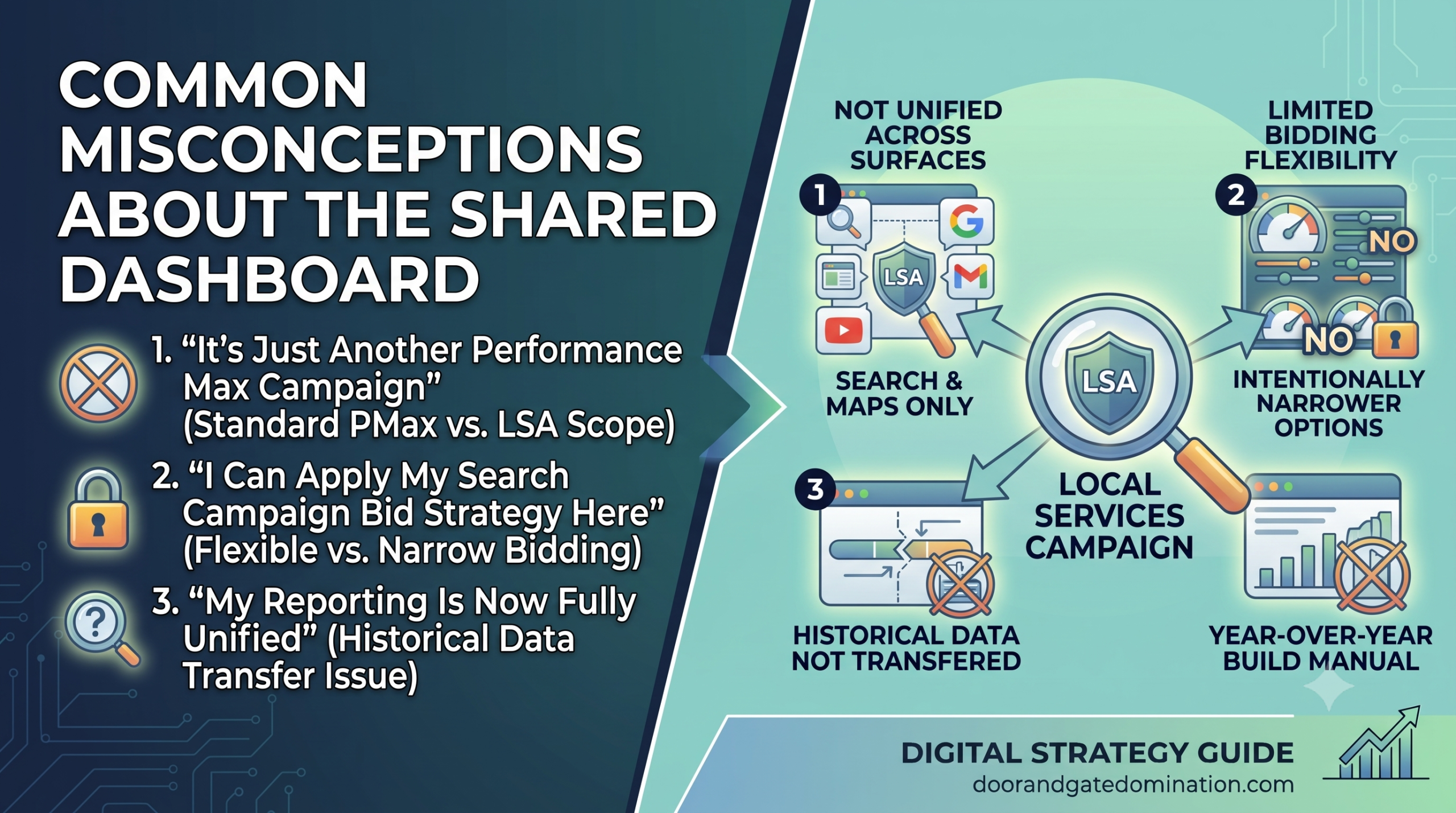
Sharing a dashboard tends to create a few false assumptions, especially for advertisers who are more familiar with traditional Search or Shopping campaigns than with Local Services Ads.
“It’s Just Another Performance Max Campaign”
This is the most common misconception, and it’s understandable given the branding. But a standard Performance Max campaign is built to find conversions across every Google surface, Search, Display, YouTube, Gmail, and more, using whatever combination of channels performs best. Local Services campaigns don’t do any of that. They stay locked to Search and Maps, and their entire structure is built around one goal: valid leads at a sustainable cost.
“I Can Apply My Search Campaign Bid Strategy Here Too”
Advertisers who are comfortable with Target ROAS or Maximize Conversion Value strategies sometimes expect similar flexibility in Local Services campaigns. That flexibility doesn’t exist here. Bidding options are intentionally narrower, and manual bidding has been removed entirely, so bringing over assumptions from a more flexible campaign type tends to create frustration rather than better results.
“My Reporting Is Now Fully Unified”
It’s easy to assume that once everything lives in one dashboard, all your data lives together too. Leads and current performance data do show up in standard Google Ads reporting, but historical LSA performance from before migration does not carry over. Any year-over-year comparison you want to run has to be built manually from data you exported before your account moved
How to Think About Budget Allocation Across Both Campaign Types
Once Local Services and traditional campaigns share a dashboard, it’s tempting to treat your total Google Ads spend as one flexible pool. In practice, that’s not quite how it works, since each campaign type has its own daily budget and its own bidding logic operating independently.
Evaluate Each Campaign on Its Own Terms
-
Don’t try to shift budget fluidly between Local Services and Search week to week
-
Compare cost per lead (Local Services) against cost per conversion (Search) separately
-
Give more budget to whichever is producing better-qualified opportunities
Watch for Overlap in Search Results
-
Local Services ads and Search ads can both appear for the same query
-
This isn’t automatically wasted spend, since each pulls from different placement logic
-
Still worth monitoring as part of your overall performance review
LSA vs. Google Ads Campaigns: Where Things Stand
Sharing a dashboard makes Local Services Ads easier to manage alongside your other campaigns, but it doesn’t make them behave the same way. Keep your bidding expectations aligned with what Local Services campaigns actually support, and don’t assume settings from your Search or Shopping campaigns will translate directly.
Door & Gate Domination manages both Local Services and traditional Search campaigns for our clients, and we treat each one according to its own rules rather than a one-size-fits-all approach. Contact us today or give us a call if you want a second set of eyes on how your campaigns compare.